
Lat/Long to H3 index conversion
Lat/Long to H3 index conversion
·
python
import h3

lat, lng = 37.769377, -122.388903
resolution = 9

h3_idx = h3.latlng_to_cell(lat, lng, resolution)
# h3_idx = h3.geo_to_h3(lat, lng, resolution)  # ► in v3.x

print(h3_idx)

# Output: 89283082e73ffff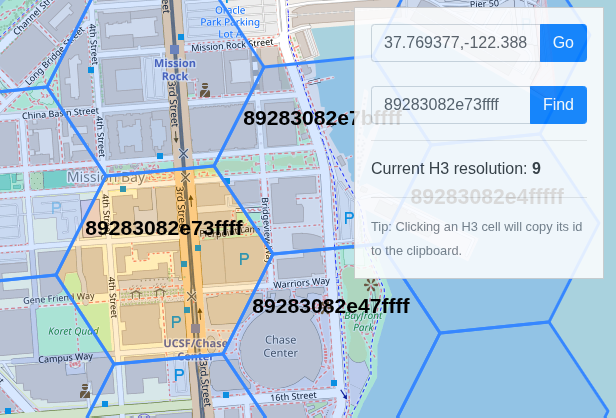
Lat/Long to H3 index conversion (image from https://clupasq.github.io/h3-viewer/)
H3 index to Lat/Long conversion
snippet.python
·
python
import h3

h3_idx = '89283082803ffff'

coordinates = h3.cell_to_latlng(h3_idx)
# coordinates = h3.h3_to_geo(h3_idx)  # ► in v3.x

print(coordinates)

# Output: (37.773515097238146, -122.4182710369247)Finding neighboring hexagons
Finding neighboring hexagons
·
python
import h3

h3_idx = '873975442ffffff'

neighbors = h3.grid_disk(h3_idx, k=1)
# neighbors = h3.k_ring(h3_idx, k=1)   # ► in v3.x

print(neighbors)

# Output
# ['873975442ffffff',
# '873975455ffffff',
# '873975451ffffff',
# '87397545cffffff',
# '873975443ffffff',
# '873975440ffffff',
# '873975446ffffff']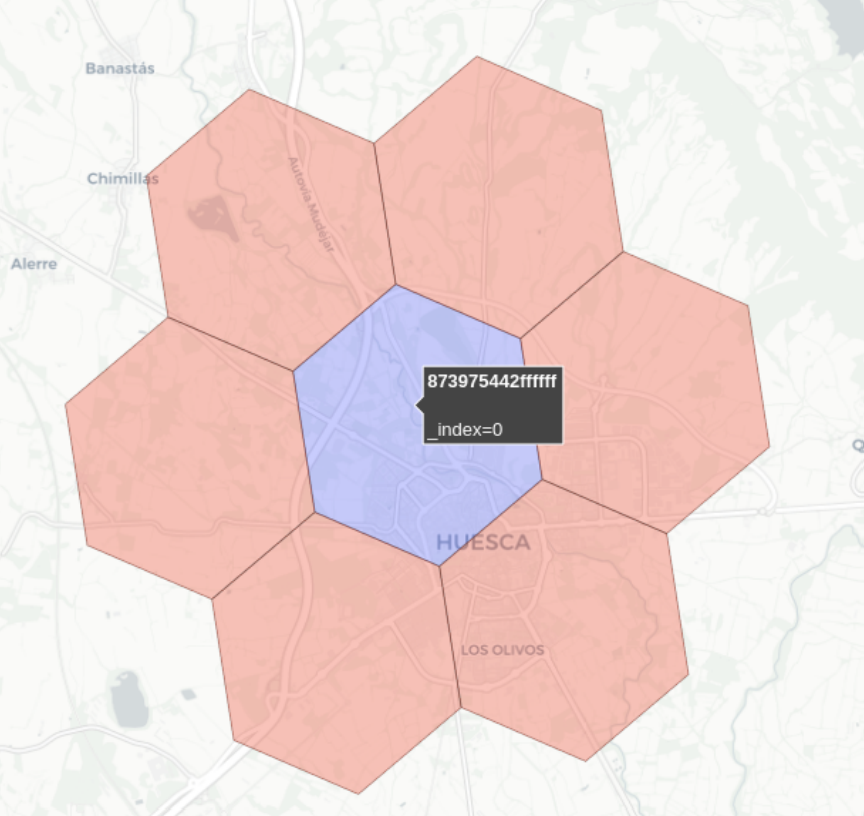
Neighboring hexagons
Determining hexagon hierarchy (parent/children)
Determining hexagon hierarchy (parent/children)
·
python
import h3

h3_idx = '873975442ffffff'

children = h3.cell_to_children(h3_idx)
# neighbors = h3.k_ring(h3_idx, k=1)   # ► in v3.x

print(children)
# Output:
# ['8839754421fffff',
# '8839754423fffff',
# '8839754425fffff',
# '8839754427fffff',
# '8839754429fffff',
# '883975442bfffff',
# '883975442dfffff']

parent = h3.cell_to_parent('8839754421fffff')
# parent = h3.h3_to_parent('8839754421fffff')  # ► in v3.x

print(parent)
# Output: '873975442ffffff'Obtaining the H3 cell area
Obtaining the H3 cell area
·
python
import h3

h3_idx = '873975442ffffff'

area = h3.cell_area(h3_idx)

print(area)
# Output: 5.036490172849032

h3.cell_area(h3_idx, 'm^2')
# Output: 5036490.172849031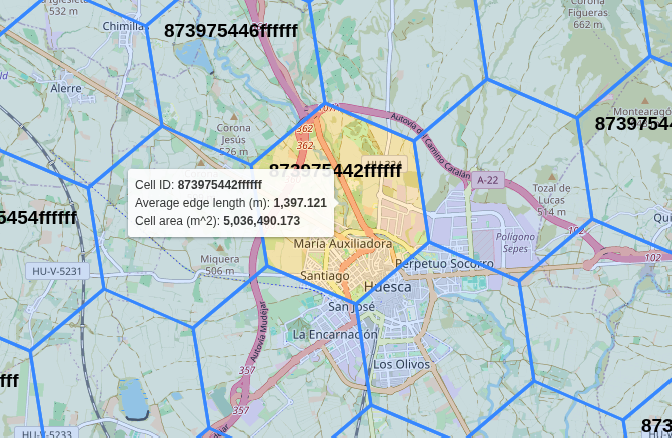
Obtaining H3 cell area (image from https://clupasq.github.io/h3-viewer/)
Distance between H3 cells
Distance between H3 cells
·
python
import h3

# Neighboring cells

c1 = '873975473ffffff'
c2 = '873975454ffffff'
c3 = '873975450ffffff'

print(h3.grid_distance(c1, c2)) # Output: 1
print(h3.grid_distance(c2, c3)) # Output: 1
print(h3.grid_distance(c1, c3)) # Output: 2

# print(h3.h3_distance(c1, c2)) # Output: 1   # ► in v3.x
# print(h3.h3_distance(c2, c3)) # Output: 1   # ► in v3.x
# print(h3.h3_distance(c1, c3)) # Output: 2   # ► in v3.x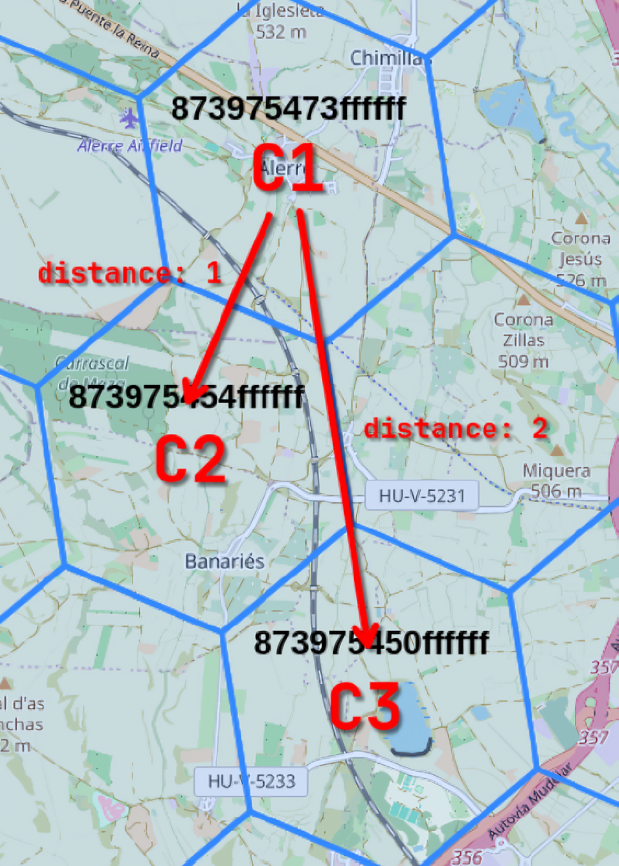
Distance between H3 cells (image from https://clupasq.github.io/h3-viewer/)